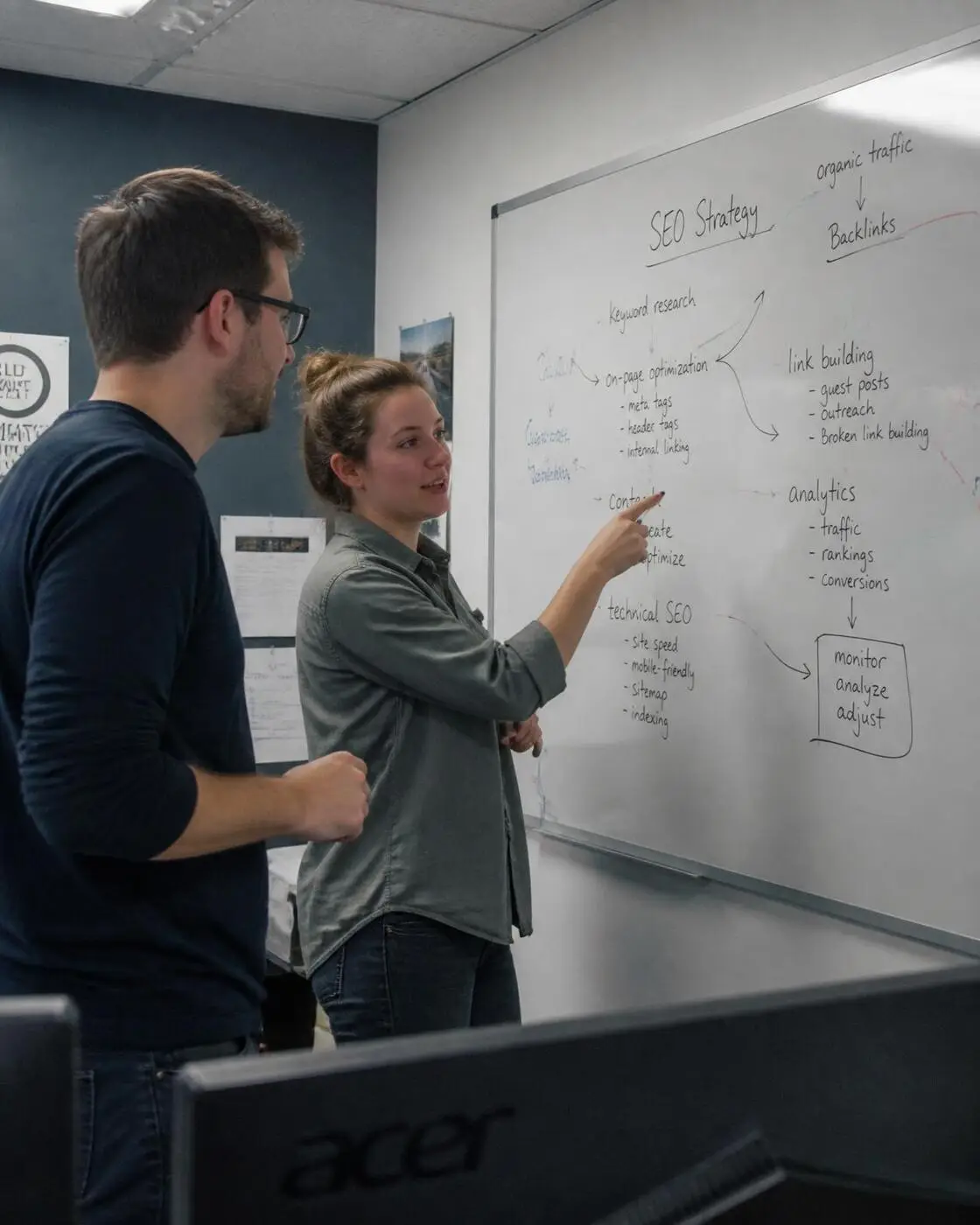
Most beginners enable every AIOSEO feature at once, creating confusion and poor results. Start with title templates, meta descriptions, and XML sitemaps first.
Most beginners enable every AIOSEO feature at once, creating confusion and poor results. Start with title templates, meta descriptions, and XML sitemaps first.
You’ve just installed AIOSEO on your WordPress site, and suddenly you’re staring at dozens of settings, toggles, and features that promise to transform your search rankings. The reality is that most beginners make the same critical mistake: they try to configure everything at once, leading to overwhelm and suboptimal results. Whether you’re managing a local business in Denver or running an e-commerce site in Aurora, the key to AIOSEO success lies in understanding which tools to prioritize and which to ignore during your first month.
This guide cuts through the feature overload to focus on the AIOSEO tools that actually move the needle for beginners. You’ll learn which settings to configure first, common mistakes that hurt your search engine optimization efforts, and practical strategies for building a solid SEO foundation. By the end, you’ll have a clear roadmap for using AIOSEO effectively without getting lost in advanced features you don’t need yet.
Key Takeaways
- Title Template Priority: Configure AIOSEO’s title templates first using variables like %%title%% and %%sitename%% to ensure consistent, SEO-friendly page titles across your entire website without manual editing.
- Meta Description Focus: Write compelling meta descriptions between 140-155 characters that include your target keywords naturally while encouraging clicks from search results pages.
- Schema Markup Basics: Enable Organization and LocalBusiness schema types in AIOSEO to help search engines understand your business information and improve rich snippet eligibility.
- XML Sitemap Essentials: Generate and submit XML sitemaps through AIOSEO while excluding unnecessary pages like tag archives and author pages to keep your site’s index clean.
- Feature Limitation Strategy: Ignore advanced features like redirects, broken link checkers, and complex schema types during your first month to avoid configuration errors and focus on fundamentals.
Why Most Beginners Configure AIOSEO’s Title Templates Wrong
The title template feature in AIOSEO seems straightforward, but beginners consistently make the same fundamental error: they either stuff keywords unnaturally or create templates that are too generic to be effective. When you’re setting up title templates, you’re essentially creating a blueprint for how every page on your site will appear in search results. The mistake happens because beginners focus on what they think Google wants to see rather than what actually drives clicks and rankings.
Here’s what actually happens when you configure title templates incorrectly: your pages end up with titles that are either too long (getting cut off in search results), too short (missing valuable keyword opportunities), or completely irrelevant to the page content. Following Google’s SEO guidelines, the most effective approach is to create templates that balance keyword inclusion with readability. Your title template should tell both search engines and users exactly what they’ll find on each page.
Template Configuration
- Variable Selection: Use %%title%% %%separator%% %%sitename%% for most pages, but customize post types like %%title%% %%separator%% %%category%% for blog posts to include topical context.
- Length Control: Keep total title length under 60 characters including separators and site name to prevent truncation in search results and maintain full visibility.
- Keyword Placement: Position your most important keywords at the beginning of the title template since search engines give more weight to words that appear earlier.
- Separator Choice: Choose pipe (\|) or dash (-) separators consistently across your site rather than mixing different separators which can look unprofessional in search results.
- Testing Process: Preview your title templates on different page types before saving to ensure they make sense contextually and don’t create awkward or redundant phrasing.
The key to successful title templates is thinking like your target audience rather than trying to game the system. When someone searches for your services in Denver or Aurora, they want to see titles that clearly indicate what they’ll find on your page. Test your templates by asking yourself: would I click on this title if I saw it in search results? If the answer is no, refine your template until it becomes compelling and clear.
The Meta Description Mistake That Kills Your Click-Through Rates
Meta descriptions are your elevator pitch to potential visitors, yet most beginners treat them as an afterthought or, worse, let AIOSEO auto-generate them from page content. The critical mistake is writing meta descriptions that read like keyword-stuffed advertisements rather than compelling previews of what users will actually find on your page. When you’re competing for clicks in search results, your meta description is often the deciding factor between a visitor choosing your page or your competitor’s.
The problem compounds when beginners either write descriptions that are too short (missing valuable real estate in search results) or too long (getting cut off and losing their call-to-action). According to best practices for content creation, effective meta descriptions should feel like natural previews that make users want to learn more. Your description should answer the user’s search intent while creating enough curiosity to drive the click.
Here’s how meta description length affects visibility and click-through rates across different scenarios:
| Description Length | Visibility | CTR Impact | Best Use Case |
|---|---|---|---|
| 120-140 characters | Fully visible | Good baseline | Simple service pages |
| 140-155 characters | Fully visible | Optimal performance | Most content types |
| 155-160 characters | Mostly visible | Slight decrease | Complex topics needing context |
| 160+ characters | Truncated | Significant drop | Avoid – gets cut off |
Description Optimization
- Character Sweet Spot: Write between 140-155 characters to maximize visibility while providing enough detail to entice clicks without getting truncated in search results.
- Action-Oriented Language: Include verbs like ‘discover,’ ‘learn,’ or ‘find out’ to create urgency and encourage users to click through to your content.
- Keyword Integration: Include your target keyword naturally within the first 120 characters since this portion is most likely to remain visible across all devices.
- Value Proposition: Clearly state what benefit or solution the user will gain by clicking, whether it’s answers, services, or specific information they’re seeking.
- Location Relevance: For local businesses, mention your service areas like Denver or Aurora when relevant to help users understand your geographic coverage.
Remember that meta descriptions don’t directly impact rankings, but they significantly influence whether people click on your results. A well-crafted description can improve your click-through rate by 30% or more compared to auto-generated snippets. Focus on writing descriptions that sound natural when read aloud and provide a clear preview of the value users will receive.
How AIOSEO’s Schema Markup Actually Impacts Your Rankings
Schema markup is one of the most misunderstood features in AIOSEO, with beginners either ignoring it completely or implementing it incorrectly. The truth is that schema doesn’t directly boost your rankings, but it significantly improves how search engines understand and display your content. When implemented properly, schema markup can lead to rich snippets, knowledge panels, and enhanced search result features that dramatically increase your click-through rates and visibility.
The confusion stems from conflicting advice about which schema types to implement and when. While AIOSEO offers dozens of schema options, beginners should focus on the basics: Organization schema for your business information and LocalBusiness schema if you serve specific geographic areas. Following comprehensive SEO guidance, the goal is to provide search engines with structured data that helps them categorize and display your content more effectively in search results.
Schema Implementation
- Organization Schema: Set up basic business information including name, logo, contact details, and social profiles to establish your brand identity in Google’s knowledge graph.
- LocalBusiness Schema: Add location data, service areas, and operating hours if you serve customers in specific geographic regions like the Denver metro area.
- Article Schema: Enable for blog posts and informational content to improve eligibility for featured snippets and news carousel placement in search results.
- FAQ Schema: Implement on pages with common questions to increase chances of appearing in the ‘People Also Ask’ section and voice search results.
- Breadcrumb Schema: Enable to show navigation paths in search results, helping users understand your site structure and improving click-through rates.
The key insight about schema markup is that it’s an investment in future visibility rather than immediate ranking improvements. Search engines use this structured data to better understand your content, which can lead to enhanced search result features over time. Start with Organization and LocalBusiness schema, then gradually add other types as you create more content that benefits from structured data.
Which AIOSEO Features You Should Ignore in Your First Month
AIOSEO’s feature-rich interface can be overwhelming for beginners, leading many to enable every available option in hopes of faster SEO results. This approach backfires because advanced features often require ongoing maintenance, technical knowledge, or can even hurt your SEO if configured incorrectly. The smartest strategy is to focus on core functionality first and gradually introduce advanced features as you gain experience and confidence with the platform.
The features you should avoid initially aren’t necessarily bad, they’re just unnecessary for beginners who need to establish solid SEO fundamentals first. According to industry best practices, successful SEO is built on a foundation of good content, proper technical setup, and consistent optimization habits. Advanced features like custom post type schemas, complex redirect chains, and automated link building tools can wait until you’ve mastered the basics and have a clear strategy for implementation.
Here’s a breakdown of AIOSEO features by priority level for beginners:
| Feature Category | Priority Level | When to Enable | Risk if Misconfigured |
|---|---|---|---|
| Title Templates & Meta | Essential | Week 1 | Low – easy to fix |
| XML Sitemaps | Essential | Week 1 | Low – Google ignores errors |
| Basic Schema | Important | Week 2-3 | Medium – can confuse crawlers |
| Redirect Manager | Advanced | Month 2+ | High – can break site navigation |
| Link Assistant | Advanced | Month 3+ | High – can create spammy patterns |
| Custom Schema | Expert | Month 6+ | Very High – technical complexity |
Features to Postpone
- Redirect Manager: Skip this initially since redirect chains require understanding of technical SEO and can break site navigation if configured incorrectly.
- Link Assistant: Avoid automated internal linking tools until you understand your content structure and can manually create strategic link relationships.
- Custom Schema Types: Ignore advanced schema options like Recipe, Product, or Event markup until you have specific content that genuinely benefits from these structures.
- Advanced XML Sitemap Options: Don’t customize sitemap frequency, priority settings, or exclusion rules until you understand how search engines actually use this data.
- Social Media Automation: Skip automated social posting features and focus on manual, strategic social media management until you develop a clear content strategy.
The goal in your first month should be establishing a solid foundation rather than trying to optimize every possible element. Focus on creating quality content, optimizing your most important pages manually, and learning how each core feature impacts your search performance. You can always enable advanced features later once you understand how they fit into your overall SEO strategy.
The XML Sitemap Setting That Confuses Google’s Crawlers
XML sitemaps seem like a set-and-forget feature, but there’s one setting in AIOSEO that consistently causes problems for beginners: including every possible page type in your sitemap without considering whether those pages should actually be indexed. The most common mistake is including tag pages, author archives, and attachment pages that provide little value to users and can dilute your site’s overall quality signal to search engines.
The confusion happens because beginners assume that more pages in their sitemap equals better SEO, but search engines prefer quality over quantity. When you include low-value pages in your XML sitemap, you’re essentially asking Google to spend crawl budget on content that doesn’t help users, which can slow down the indexing of your important pages. Understanding how search engines work helps you make smarter decisions about what to include and exclude from your sitemaps.
Sitemap Configuration
- Page Type Selection: Include posts, pages, and custom post types but exclude tag archives, author pages, and attachment pages unless they provide unique value to users.
- Frequency Settings: Set realistic update frequencies (weekly for blog posts, monthly for static pages) rather than ‘daily’ for all content which can seem spammy to crawlers.
- Priority Values: Use the default priority settings rather than marking everything as ‘high priority’ since relative importance is more valuable than absolute values.
- Image Sitemaps: Enable image sitemaps only if you have original, high-quality images that could drive traffic through image search results.
- Submission Strategy: Submit your sitemap to Google Search Console and Bing Webmaster Tools, then monitor for crawl errors or indexing issues regularly.
The key insight is that your XML sitemap should reflect the pages you actually want people to find through search engines. If you wouldn’t want a page to rank in search results, it probably shouldn’t be in your sitemap. This approach helps search engines understand your site structure and prioritize crawling your most valuable content.
Why AIOSEO’s Social Media Preview Tool Saves More Time Than Expected
Most beginners overlook AIOSEO’s social media preview feature, not realizing how much time it can save and how significantly it impacts click-through rates from social platforms. When you share content on Facebook, Twitter, or LinkedIn without optimized Open Graph tags, you’re leaving engagement to chance. The preview tool shows you exactly how your content will appear when shared, allowing you to optimize headlines, descriptions, and images before publishing.
The time-saving aspect becomes apparent when you consider the alternative: publishing content, sharing it on social media, discovering it looks unprofessional or confusing, then going back to edit and reshare. This cycle wastes time and reduces the initial momentum your content might have gained. By using AIOSEO’s preview tool, you can ensure every piece of content is social media ready from the moment it goes live, maximizing its potential reach and engagement.
Social Optimization
- Image Dimensions: Use 1200×630 pixels for Open Graph images to ensure crisp display across all social platforms without cropping or distortion issues.
- Title Optimization: Write social media titles that are 60-90 characters to fit platform constraints while maintaining impact and readability across different feeds.
- Description Strategy: Create social descriptions that differ from meta descriptions, focusing on emotional hooks and social sharing motivations rather than search intent.
- Platform Customization: Set different images and text for Facebook versus Twitter to match each platform’s user behavior and visual expectations.
- Preview Testing: Check how your content appears in the preview tool before publishing, then validate with actual social platform debuggers for accuracy.
The social media preview tool essentially gives you quality control over how your brand appears across social platforms. When someone in Denver shares your content on Facebook, you want it to look professional and compelling. This attention to social presentation often results in higher engagement rates and more referral traffic than businesses that ignore social optimization entirely.
When AIOSEO’s Recommendations Conflict With Your Content Strategy
AIOSEO’s built-in recommendations and TruSEO scores are helpful guides, but they shouldn’t override your understanding of your audience and content strategy. The tool sometimes suggests changes that would make your content more ‘SEO-friendly’ according to traditional metrics while making it less engaging or useful for your actual readers. This creates a tension that beginners often resolve by blindly following every recommendation, potentially hurting their content quality in the process.
The most common conflict occurs with keyword density suggestions and content length recommendations. AIOSEO might suggest adding more keywords to improve your TruSEO score, but if those keywords feel forced or unnatural, they can hurt user experience and actually harm your rankings. Smart SEO means understanding when to follow tool recommendations and when to trust your judgment about what serves your audience best. Following people-first content principles, the goal is creating genuinely useful content that happens to be well-optimized, not optimized content that happens to be useful.
Strategic Decisions
- Keyword Density Balance: Aim for natural keyword usage rather than hitting specific density targets, prioritizing readability and user value over arbitrary percentage goals.
- Content Length Flexibility: Write as much as needed to thoroughly cover your topic rather than padding content to meet word count recommendations that may not fit your format.
- Readability Scores: Consider your audience’s expertise level when evaluating readability suggestions, as technical topics may require more complex language than general recommendations suggest.
- Internal Linking Logic: Add internal links where they genuinely help users find related information rather than forcing links to meet quantity recommendations.
- Focus Keyword Limits: Don’t restrict yourself to one focus keyword per page if your content naturally covers multiple related topics that users might search for.
The best approach is using AIOSEO’s recommendations as a starting point for optimization while keeping your audience’s needs as the final arbiter of content decisions. If a recommendation would make your content less helpful or harder to understand, it’s probably not worth implementing. Remember that search engines are increasingly sophisticated at recognizing content that truly serves user intent, even if it doesn’t perfectly match traditional SEO formulas.
Building Your AIOSEO Foundation
Success with AIOSEO comes from mastering the fundamentals before exploring advanced features. Focus on configuring title templates, writing compelling meta descriptions, setting up basic schema markup, and creating clean XML sitemaps. These core elements will provide the foundation for all your future SEO efforts and deliver measurable improvements in search visibility. Remember that SEO is a long-term strategy, and the habits you build in your first month with AIOSEO will determine your success over the coming year.
Whether you’re managing a local business in Aurora or building an online presence for customers across the Denver metro area, the principles remain the same: prioritize user experience, create valuable content, and use AIOSEO’s tools to enhance rather than replace good content strategy. Start with the essentials, measure your results, and gradually incorporate advanced features as your understanding grows. If you need help implementing these AIOSEO strategies or want guidance on optimizing your WordPress site for search engines, we’re here to help you build a strong SEO foundation that drives real business results.
Author
Bradley Johnson brings over 17 years of SEO experience to help businesses navigate the complexities of WordPress optimization and AIOSEO implementation. His background in both technical SEO and content strategy provides a practical perspective on which tools actually drive results versus which ones create unnecessary complexity. Bradley’s approach focuses on building sustainable SEO foundations that grow with your business rather than chasing quick fixes that fade over time.